
Booming Time Lapse
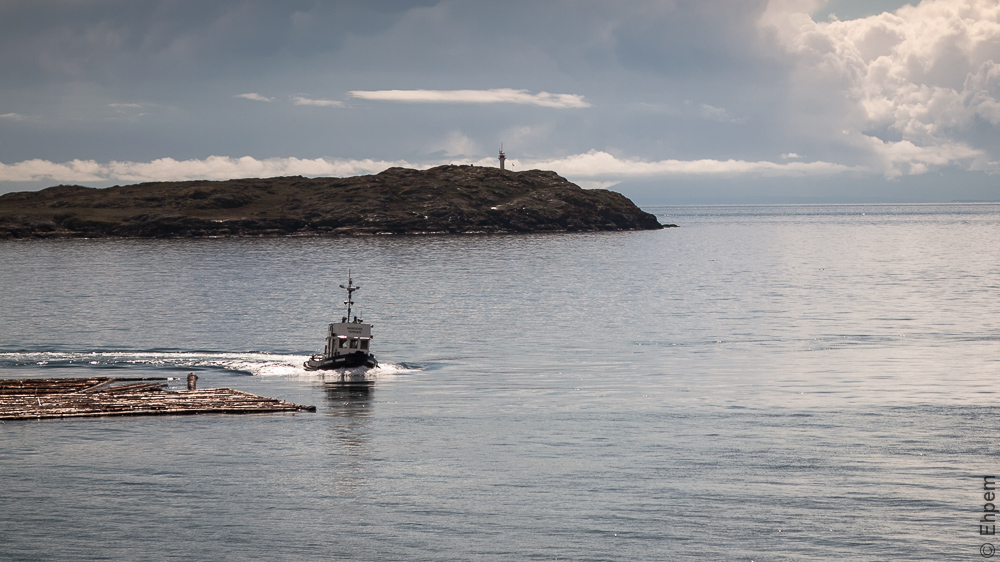
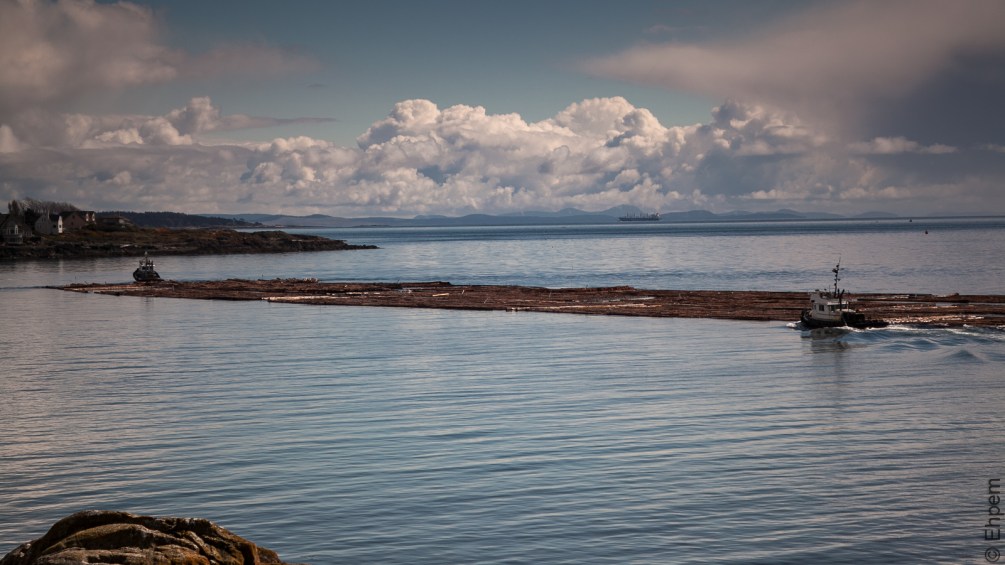
This weekend offered one nice day, just right for a bit of timelapse photography with some boiling clouds and blue skies. I was lucky enough to arrive in Trafalgar Park, Oak Bay just as two tugboats with a log boom in tow approached the narrow and winding pass between Trial Island and Vancouver Island. Today’s video is two timelapses combined to show the the tugs and log boom wending their way. It is really quite a complicated operation as there are many submerged hazards and very strong currents to contend with. In the images I can see that the second tug working the back of the boom is named the Nanoose Yarder. The inter-web tells me that the she usually tows log booms in tandem with the Fraser Isle, so I am assuming that is the vessel doing the pulling.
To view the video click on the image above. I find that viewing it at high-resolution in WordPress runs a bit rough and recommend you move over to YouTube and watch if full screen at high resolution.
I continue to learn from past mistakes. See other posts in this series for some of the more important points on the learning curve. , but also through the use of more specialised software. For the technical camera settings see the bottom of this post.
The software change for me was to get a copy of LRTimelapse which integrates beautifully with Lightroom 4. I am using a free trial version, but it works so well I will be buying a license and getting access to advanced features. The way it works is that one chooses locations in the image sequence through LRTL where a change starts and stops – this can be just at the beginning and end, or anywhere else between.
.
Changes that are made are within the huge range of editing tools available in LR4 – cropping, exposures, white balance, clarity, sharpness, tints, filters, saturation, and on and on. I started to count the changes that LRTimelapse tracks, and stopped at 58 – it must be double or even triple that number. Pretty much everything LR4 can do, LRTL will keep track of.
Say for instance that you have just two change points, at the beginning of your timelapse series and the end. You set these points in LRTL, export the metadata to LR4 where you edit the first point (image), then copy (or sync) the edits to the last image and adjust them however you want, then export the metadata back to LRTL. It will then calculate gradations in the values that change from one end of the series to another, or between the points chosen. These incremental changes are applied to the metadata for each image and re-imported in LR4. From there the video is generated through the Slideshow module, using some LRTL templates which you need to download separately. This results in very smooth animations such as panning, tilting and zooming, and changes in exposure to, for instance, lighten up the series as night falls. It also has a de-flicker feature to smooth out slightly uneven exposures.
It is really quite easy to use, free (without some of the features), seamless with LR4, and there are excellent training videos on-line. If you are considering getting it and are already a Lightroom user, check out the tutorials to see how it works. I have not used other timelapse software so don’t know how this compares, but I can’t imagine that the others are any easier to use. Some probably have more control over the images, but they will not be based on Lightroom, which is in any case a very powerful editing tool.
.
.
Technical Details: Canon EOS 5Dmkii, SMC Takumar 100mm/f4 macro lens, ISO100, 3-stop graduated ND filter, all images shot the same within scenes, first scene: f-4, 1/1600th, 183 stills; second scene: f8, 1/400th, 296 stills. All taken 5 seconds apart with the aid of a Pixel TW-282 timer. Manual settings, custom white balance, smaller RAW files shot at 3861 x 2172. Edited in Lightroom 4 and LRTimelapse 2.3.1, then rendered as a movie through LR4 Slideshow module, with LRTimelapse templates. I chose the 24fps option.
.
.


 burnt embers
Wow…totally love this one…those clouds are amazing!! One suggestion, I would make the opening/closing credits go a little slower. 🙂
LikeLike
Hi David. The clouds around here make great timelapse videos. The credits sequences are tricky. I don’t want them to interfere with the real point of the video, but they do have to be slow enough that if nothing else, people will know to pause if they really want to read it. I agree these are a bit short. Others I have done are either shorter, or have fewer words tor read.
LikeLike
This is easily your best effort so far. I must have watched it at least 10 times full screen (so far). Very impressive. I can’t take my eye off the clouds in the second half! This is certainly worth the work and number of hours you put into it. It’s all there on the screen.
LikeLike
Thanks a lot Ken. I am glad you like it, my youtube views are doing very well – thanks in some significant proportion to you:).
Those clouds are amazing, and of course completely still looking in the normal speed of observation – a very pleasant surprise, though I thought they would be up to something.
I also like the route of the tug through the second scene, it works very well. And, did you notice the bird swimming for safety in the first scene? Must have surfaced really near the boom.
Room for improvement comes, I think, with a slower shutter speed for the first scene – like 1/15th or so to give the passing boom a bit of blur, theory has it that approach should smooth out the flow quite a bit. Sadly, my ND filter has no thread mount, so the graduated filter mount won’t work with it. Guess I will have to get another ND filter for the new holder.
LikeLike
awesome! I love this one.
LikeLike
Thanks! I do too:)
LikeLike
Yes, definitely second-growth, and even it is orange. Too bad a sawmill didn’t survive in the Victoria area…
LikeLike
Hi Richard. My guess is that this is second growth Douglas fir – not much old growth left as it was logged pretty early. Where it is headed is a good question. Perhaps Cow Bay, or a bit further like Nanaimo. But also could be the Vancouver area.
LikeLike
Great photos! The orange tint of the logs suggests (surprise-surprise!) that they are Douglas-fir, which the early settlers in the Comox Valley called “Orange Fir.” In colour photos (post-1955) of coastal logging, you get a mixture of green, orange, and blue for forest, timber, sky, and water. I wonder where they were taking these logs? Are any sawmills left south of the Malahat? Maybe they were destined for the sawmill at Cowichan Bay.
LikeLike