Rose’s Star Effects

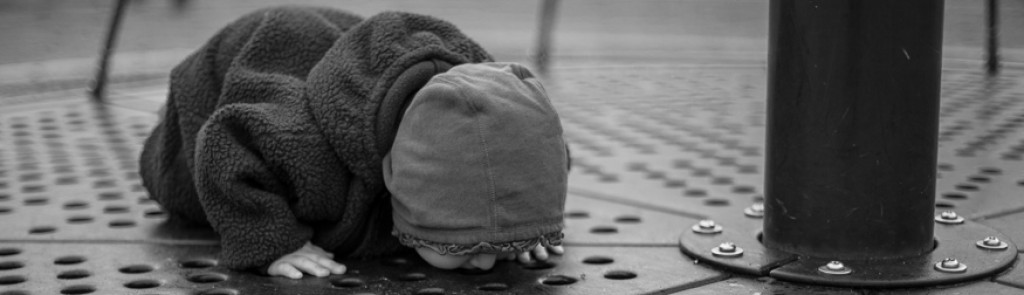
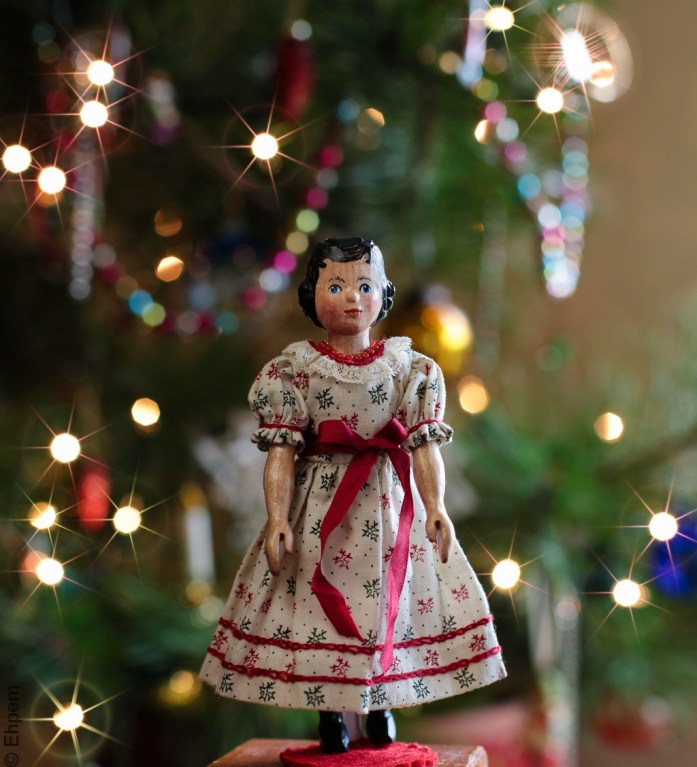
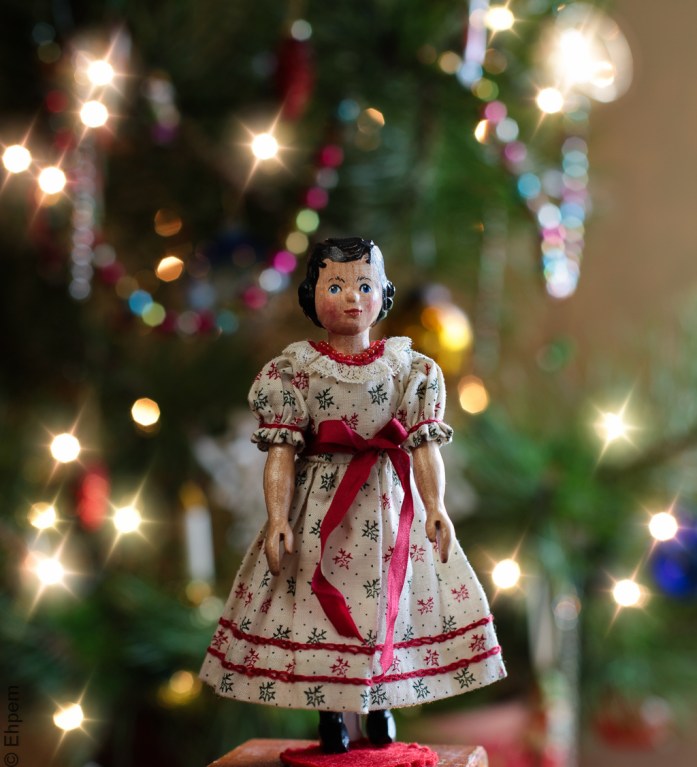
A post in November included the application of Topaz Star Effects to a sunset. Some of the response to that post caused me to revisit the software using a Christmas scene where tacky kitsch is more permissible. I know, it’s a bit early, but Christmas is not really the point of this post. The photo above has “natural” star effects – that is they are produced by the lens and in-camera. All the others are added afterwards, including the animated gif which you won’t be able to see unless you open this post all the way (a remark added for my WP readers that view posts only the WP Reader or its stripped down preview, neither of which is going to show much of this post).
The doll used in these tests is named Hitty Rose, she lives around my house and her Human blogs about the adventures of Rose and her sisters elsewhere. Indeed, the test photo used below was made for that blog as an introductory photo when Rose moved in one Christmas a few years ago.
I chose the photo for the test because it had points of light without star effects, and had a companion photo (above) with lens produced effects for comparison. Both are jpegs shot at high-resolution. The test photo is cropped. The first image below is the base image used before adding any star effects.

.
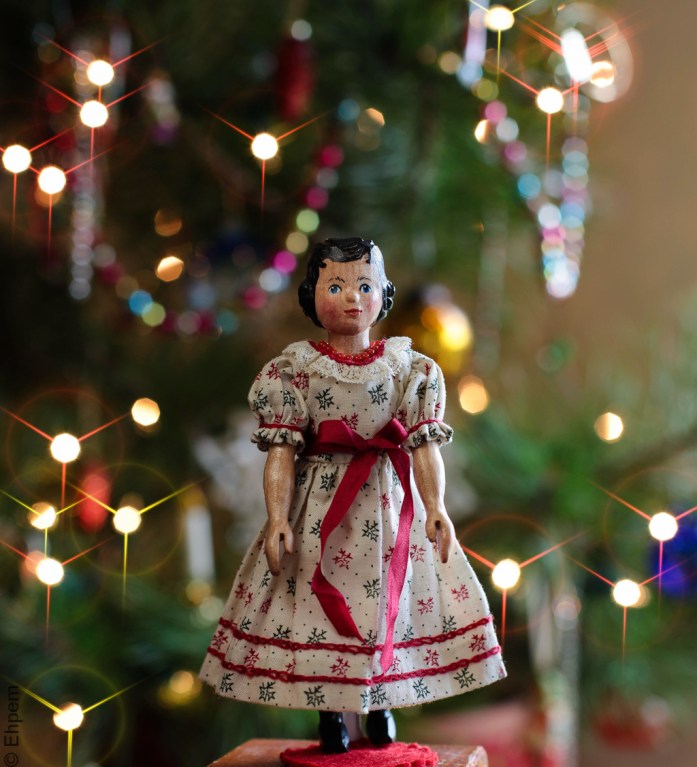
The image above has a modified version of the Topaz Starry Night II pre-set, with 6 points set on the stars with a high threshold for size of light spots that get stars added, and a mild ring flare. I noticed when setting the angle of the stars that they rotated as I played with them, which gave me the idea of an animated gif. I thought it best to reduce the stars to 3 points without secondary points (below) and then generate a number of images at regular angles and make an animated gif from those (below). Sorry the animated gif is so large, that is the size I produced it at, and if one shrinks these kinds of gifs in WordPress, the animation does not run.
.
.
I think the animation is really, really tacky. To the point that it is kind of nice, in a sick way.

I now think the gif would be better with more points on the stars because fewer images could be stacked together making a smaller file and probably a smoother rotation. This one was made from 9 images at intervals of 12 degrees of rotation. I made the gif in Gimp with the help of an online tutorial since I never remember how to use Gimp on the few instances I use it every year.
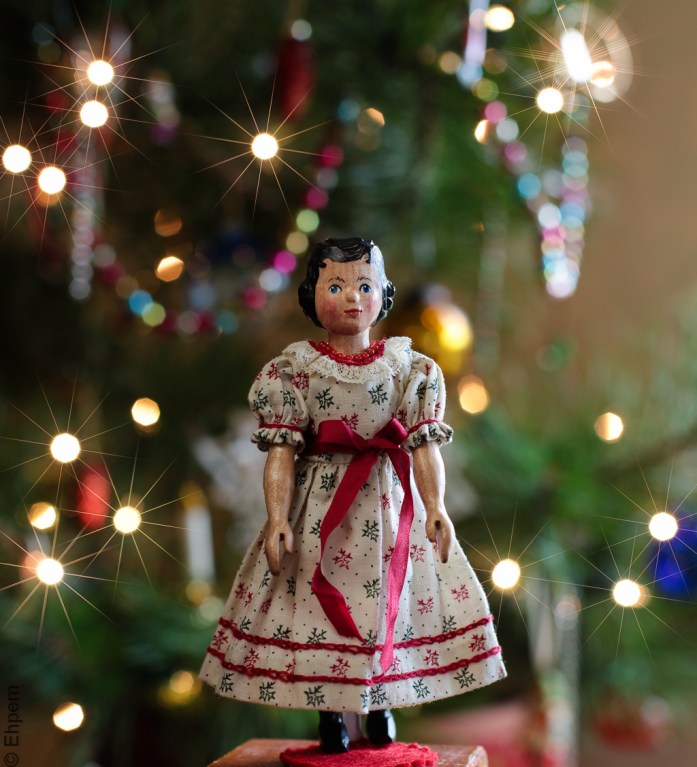
The still version below uses the Lamp Post I pre-set with a high threshold, just to give you a sense of some other effects. And, the bottom one is made with the Candle Light I pre-set and adjustments to the settings for Threshold, Luminance, Size and Spread.
.
.
So, what do you think? My feeling is that I like the shallow depth of field version without stars (second image) best. If I am to have stars, then I like the natural version (first image) better than the Topaz versions. However, Star Effects offers many pre-sets and a great deal of control so I could have made the effects more random and looking more like the natural version had I cared to. I don’t feel an overwhelming need for star effects in my photos, even after these experiments, so don’t think I will be reaching for this software very often. However, you can’t get these effects (without a special filter) with wide open aperture, so there is occasionally a need for this kind of effect to be added in post. Thus this software will likely be a useful tool to have for some occasions. Especially if I am feeling the need for a bit of kitsch on these pages.
.
.
Canon 5Dii, first image SMC Takumar 100mm/f4 macro lens, ISO 200, 5.0 seconds, f-stop not recorded; other images: Canon 50mm/f1.4 lens, ISO200, f4, 1/6th second
.
.


 burnt embers
She’s so cute! Second version for me.
LikeLike
Rose is cute! And thanks, I think that it is the best shot.
LikeLike
First of all, I like the phrase “software induced” that you used in a reply to another commenter. And, second – Topaz star effects is on sale – 50% off – through the end of December. Do you think it’s worth fifteen bucks (US)? (Fifteen of MY dollars, I mean.)
LikeLike
Hi Melinda. Fifteen bucks is a pretty good buy – it is quite good at what it is designed to do. But it is hard to imagine using it very much, for me anyway. It has a lot of control and there are various effects that you can make like lens flare, or a glow around bright points and that kind of thing. Would any of that be useful?
LikeLike
Marginally useful – but for $15, it’s probably worth it if I use it only a few times.
LikeLike
I have this plug-in but I’ve never used it successfully. I was hoping to get the star effect I used to get with a star filter over my lens but it hasn’t worked out for me. The first and second image are my favorites here but I do like that last one quite a lot. Also, your GIMP knowledge is way more than mine.
LikeLike
HI Ken, I have a star filter kicking around here which fits, I think, most of my Takumar lenses. I should get that out and see what it is like with some Christmas lights. And then torment my viewers with those pictures. GIMP has the redeeming quality of being free. It seems quite powerful too, but as with all photoshop type software, I just can’t get over my inertial and learn it, nor find the time to use it. So, it gets cracked open solely for this purpose. I would like, sometime, to try my hand at ‘Cinemagraph’ gifs which I find fascinating and that is likely to push me into exploring software a bit more. If you have not come across Cinemagraphs here are few of my favourites from the people that made the idea popular:
http://bit.ly/1bTLfFy
http://bit.ly/198G6Le
http://bit.ly/18R12Uj
http://bit.ly/1k8qNUZ
LikeLike
Of course Rose is the real star of these pictures.
LikeLike
Of course! She was such a patient model for all this messing around, and never once complained about the bad taste of the photographer.
LikeLike
My choices (in order) would be the second, last and first. Not sure why, but the star effect just doesn’t work for me in this image…having said that, I like the softer effect going on in the last than the first. The second, well, the bokeh is wonderful and all the elements just seem to work for me. As always, thanks for sharing your “experiment”, it was a great read so early in the morning! 😉
LikeLike
Hi David – glad to give an early riser an interesting read on a Monday morning! I am hardly surprised you like the second shot the best – the shallow depth of field alone would have done that I expect 🙂
LikeLike
And you know it!! Funny thing is, I am doing a 50mm f/1.4 theme this week over on my blog (me and my shallow DoF). 🙂
LikeLike
That is a theme after my own heart. I don’t have any faster lens than 1.4, and only one of those, but I sure use f1.4 a lot. And f2.8 which is what a couple of my other lenses have to offer.
LikeLike
I like your experiment. For a natural look I prefer the 2nd pic from top (your base image), but if it’s got to have stars I like the last one best as it still looks natural.
LikeLike
Hi Kiki – thanks for the comment! Of all the software induced star effects, I like that last one the best too.
LikeLike