Drain in White II
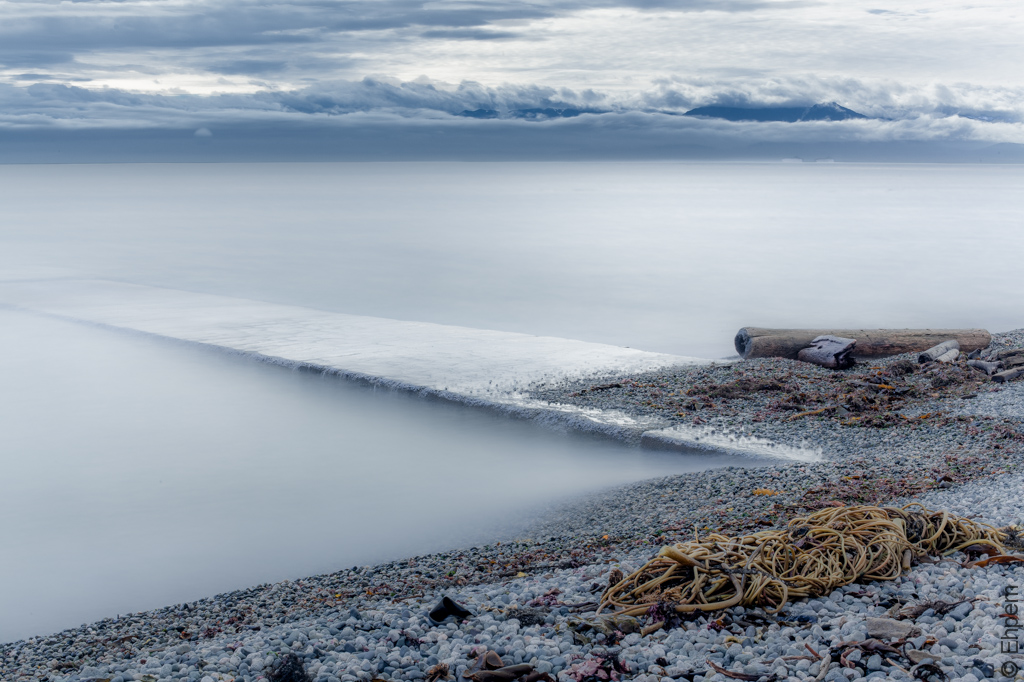
This is the last of my HDR experiments at the Ross Bay storm drain that were taken last weekend. The main point of these experiments was my curiosity as to whether one could simulate the very long exposure effect with many shorter exposures blended together in HDR. The longest exposure that my camera will take with its own timer is 30 seconds and I have been thinking the creamy soft water that I would like to get in my photos requires even longer exposures, or maybe a HDR work-around.
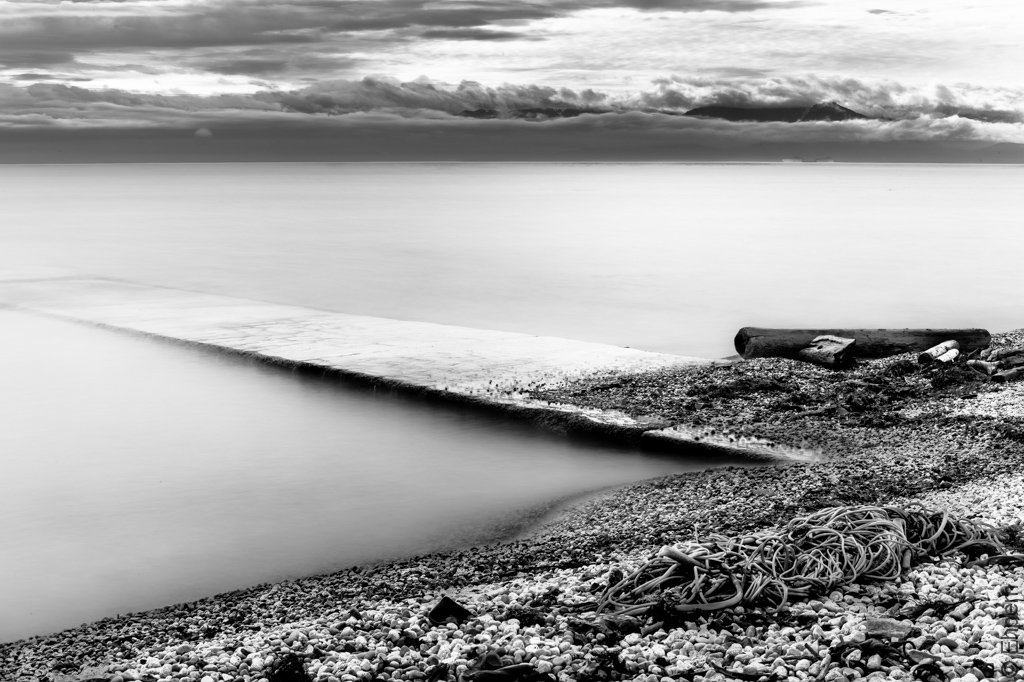
These are the best of the work-around tests and I think that mostly I have the look I was after. However, it is a lot of work to get here, and I expect that were I to take single exposures in the 2 minute range I would be getting a similar look, with a lot less post processing. To that end I have bought a remote timer and plan on giving it a try, when conditions are suitable. Another advantage of the very long single exposure if that moving objects, (such as the ship on the horizon below the dark rectangle of mountains in these shots), will be a single blur and either disappear, or be a smudge. In this composite image the ship is fairly clear in the two slowest brackets, but has moved between when they were taken and thus shows as two vessels on the horizon, indistinct and a bit odd.
Of these two versions, I think once again I prefer the colour – I think the colour of the kelp in the foreground helps set the path for the eye through the photo much more effectively than in black and white. But, if I only had the black and white I would be pretty happy with it.
.
These photographs are merged from 5 brackets using the Photomatix plug-in for Lightroom 4. This plug-in generates quite natural looking 32bit files which it places directly in Lightroom without any real control over what Photomatix is doing. All the editing happens in Lightroom instead, which is what I have done here. Today’s pictures are both made from the same set of brackets.
I actually seem to have loaded a number of images with the same exposure value (8 seconds) and I don’t know how these were handled. The file name suggests I used 9 brackets, but when using Photomatix directly (rather than via the plug-in) it asks if it should discard the ones with the same exposure value, or change their value. So, maybe they are all in there, influencing the mix, or they have been ignored if the same. I probably will never know, unless I try redoing it without the duplicates, which I probably won’t.
.
Canon 5Dii, Canon 50/1.4 lens, ISO100, f-22, brackets at 2, 4, 8, 15 and 30 seconds
.
.


Both excellent, but I do love those colour tones again!
A remote timer is well worth it, you’ll have fun with it.
LikeLike
Thank you Karen. These are really among my favourites. Partly because I finally got the water as I hoped for.
LikeLike
I just love how we get to learn so much through your work. I totally am in love with that silky looking water there, Ehpem, you’ve done a great job there. Good luck with working with your new remote shutter release, I love mine and never leave home without it.
LikeLike
Hi Toad. Thanks for you compliments!
I have not had a chance to give that remote a try yet. It is more complicated than I would like, and the right time just has not come by yet. But, there are many things I want to try with it. Long exposures and time-lapse spring to mind. And there was a project I was doing recently with my camera clamped to a rafter beam where I could really have used it, rather than setting the timer on 10 seconds and struggling to get me and the ladder out of view. I know it is going to be a very useful bit of gear.
LikeLike
Hello Your first image is beautiful, I have really enjoyed this series of your ‘drain’ photos 🙂
LikeLike
Thank you Helen. There will be more storm drain photos, that spot beckons, and is easy to reach.
LikeLike
Again, the color version looks stunning. The cold background and the warm foreground really bring this image to life. I can just imagine myself walking down that path into the—um, whatever it is!
LikeLike
Thank you! Someone commented the other day that it was a bit like the water at the Grey Havens at the end of Lord of the Rings. So, you could be stepping off into an eternity (by their interpretation).
Knowing about sisiutl and other sea monsters of this part of the world, I wonder if perhaps they might create this effect as a trap.
LikeLike
I like/am drawn to the colour one much much more 🙂
LikeLike
Hi Ardean – thank you for coming by and commenting. It seems pretty unanimous that the colour is the one that works best.
LikeLike
The water has turned into snow on the water, but the mountains and the cloudscape are so beautiful and super realistic, the color photograph is a delight for the eye. “Stunning” I read in one of the earlier comments and that is definitely the right word.
LikeLike
Thank you Joseph – I have been trying for this effect for months because I have seen photos with this kind of water that I just love. Its very gratifying to find a method to get me there with the equipment I have to hand, even if it owes a lot to post-processing. Now if only there was room for a telephoto shot of the drain which pulled the mountains closer and bigger, combined with these kinds of techniques. Maybe there is now that I think of it. Will have to give that a try sometime as well since I now have a 100mm lens, and an old 200mm lens that will both fit my ND filter.
LikeLike
That colour shot is superb. The exposure is perfect. The clouds are still sharp, which I think they need to be to balance the image. Well done
LikeLike
Thank you Andy. I agree about the clouds, they were not moving too fast, except maybe overhead, so they have kept their sharpness quite well with the long exposure.
LikeLike
WOW!!! You couldn’t ask for better results! These are just beautiful and I agree with you, the color shot has a slight edge over the B&W. Nice work.
LikeLike
Thanks Ken. I am pleased, and I am pleased I found a way of doing it if I don’t have a timer along with me, or a graduated filter which I don’t own. Nice to know. The finishing touches in Lightroom were essential though, especially putting a mask over the water and sliding the clarity way over to almost none. Though it was looking pretty good before I did that, it did take it to where I wanted to be.
Next will be to try and get close in camera.
LikeLike
Loving your experiments – this particular one is stunning. You have transported that drain to an entirely different geography. Thanks for sharing all these attempts.
LikeLike
Thank you Dawn. If I write them down here, then I can remember them too, its sort of a notebook for me in some ways. But I also get lots of feedback and sometimes learn that perhaps something works better than I thought it did.
LikeLike