Blog Geography

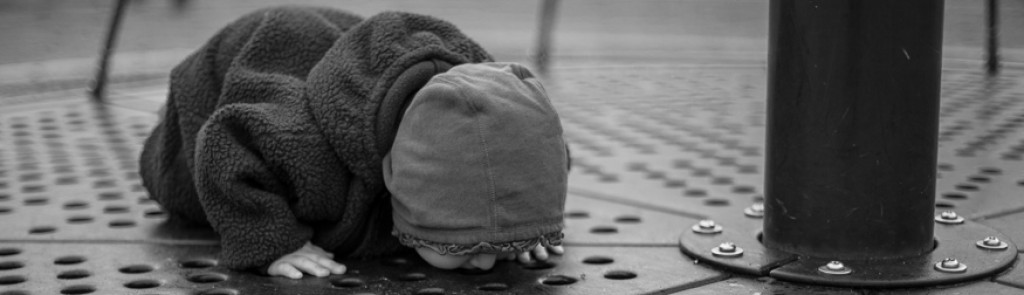
Today’s post is about a map that I have been developing as a geographical guide or index for my blog. But since that is a bit dry and the associated images are boring maps I also include the image above since I aim to include at least one of my photographs in each of my posts. This was taken on Harling Point, very close to Sahsima, the transformer stone frequently featured in this blog, but this time at a very low tide. There must be an undulating surface beneath the eel-grass in the foreground, perhaps a series of glacial striae?
BTW, yesterday was my 200th post – I missed that go by (I must be getting a bit blasé about this posting business). The second hundred went by way faster than the first hundred.
So, onto the maps I have been developing, here is a screen shot from one of them of part of the Harling Point area:
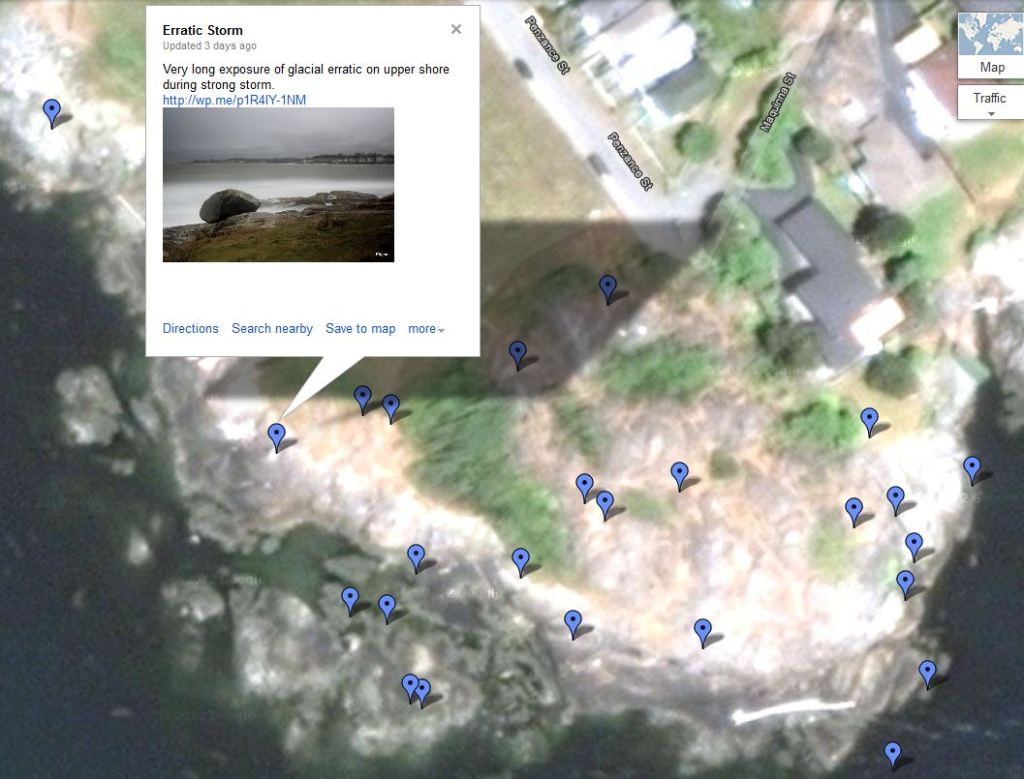
I have been mapping my blog in Google Maps for some time. I started by mapping my early posts on the Songhees history cairns in Oak Bay, and that map has now grown into a guide to commemorations of First Nations people and their history around the Greater Victoria area. The VICTORIA FIRST NATIONS MARKERS MAP (click in that map name to go to the map) includes places that are posted in Burnt Embers and each point on the map has a photo from the blog and a link to the relevant post about that spot. It is slowly growing as I add posts of other such places.
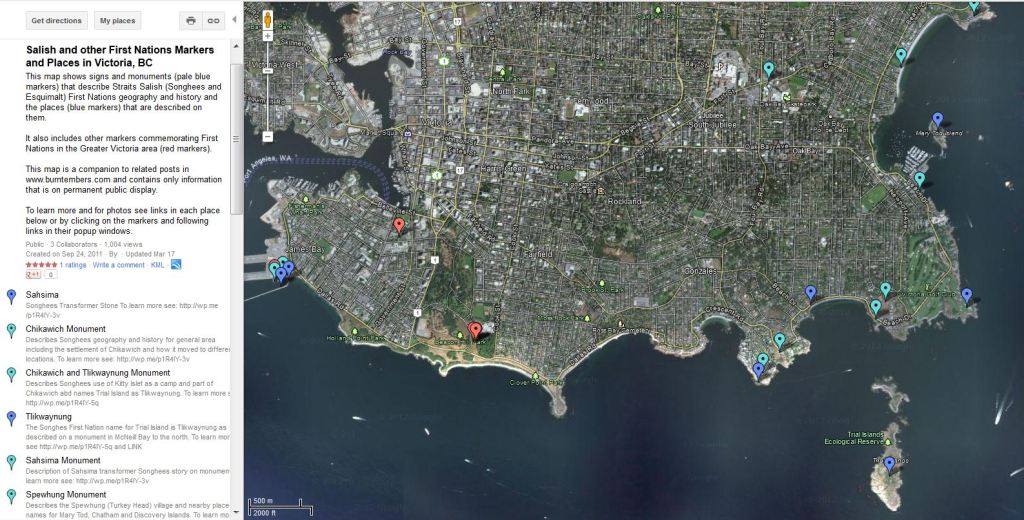
Recently I decided to make a BURNT EMBERS MAP (click in that map name to go to the map) which includes each of my posts that are not on the First Nations map – I will keep the two maps separate since the First Nations map has uses beyond merely being a guide to the geography of my blog. I found myself quite often adding a google map without a pointer to the location, but with the map centred on where I was posting. I like my data more precise than that, in most things, but especially in maps. So, from now on I will be adding a map marker for each post that I make. In places where it’s a repeat of a subject (usually expressed in my post titles with Roman numerals) then there may be only one point but with several links in the display you get when clicking on the marker. My neighbourhood is getting awfully crowded since I tend to stay close to home (and there is no denying that, the map says it all…), but I will find a way to compress the information, and you will just have to zoom in more tightly in Google Maps, which helps separate the markers one from the other. For posts that occur in someone’s yard or house, including my own, the marker is placed in a green space, park, or road intersection in the general area to maintain a modicum of privacy. If you are using the map, turn on the satellite imagery (it’s a box called “Earth” in the upper right corner) – it makes for a more satisfying map.
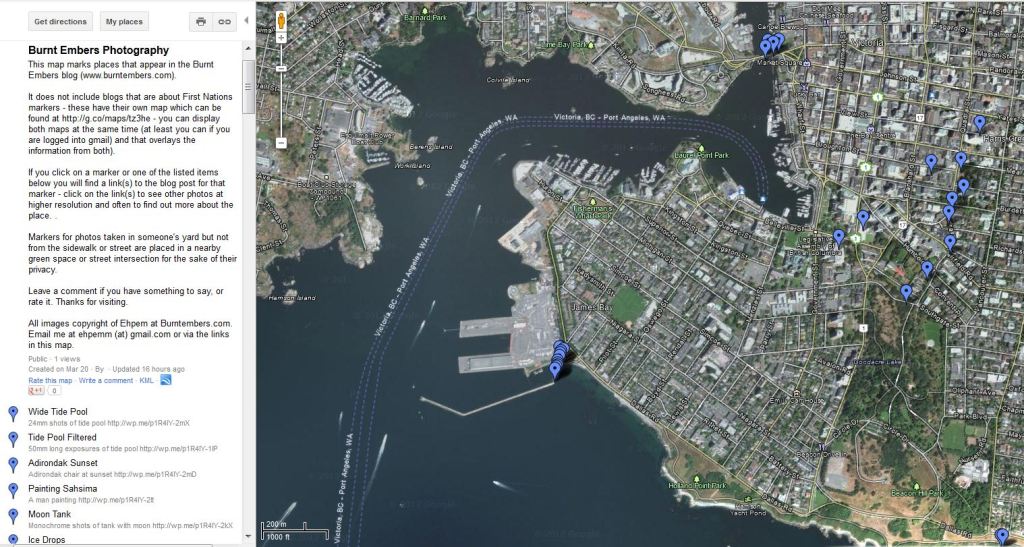
How the map works: You may need to zoom in a bit first, then click on a marker and it will expand with a brief description of the relevant post, a photograph from that post and a link to go to the post. Likewise, on the left side is a list of all markers – click on any of the titles (which correspond to the post titles) and it will open the marker in question. As far as I can see this list cannot be organised in any way – it is in the order which markers are added to the map. You can see that this post is quite a way up the list – an expression of my optimism that I could get the map finished after scheduling this post; I barely made it. In the First Nations map, the markers are coloured so that they represent one of these three categories (a) a physical commemoration of First Nations local to this area, (b) a local First Nations place mentioned on one of the cairns of plaques, or (c) a commemoration of non-local, or all First Nations from British Columbia. For the time being I see no reason to colour code the markers in the Burnt Embers map – I suppose I could code them for long exposure, macro, mono, or similar. However, some posts use a mix of such categories, and in any case it would be a lot of work.

By now you are probably asking yourself ‘why is Ehpem going to all this trouble?’ Well, I like maps and map-making – that is a necessary starting point I think. The First Nations map started because I had so much trouble finding the Oak Bay markers which were erected with lots of public money and tons of good will but almost no publicity and no web presence to speak of. The map seeks to fill that gap (as do the associated posts). The general map for Burnt Embers is useful, I think, for people who like something they see in my blog, or want to know more about a location. These kinds of viewers can then browse other posts of mine by geography, rather than by the categories and tags I choose to classify them with in my blog, or generalised searches that may or may not get them what they want since I often don’t do much about naming the spot I took a photo. There is a lot to be learned from a map, especially one with good satellite imagery, and I think associating a post to a map can add some value to my blog.
A recent excellent example of how a map enhances a post can be found in Adrian Harvey’s recent post The Dam Of L´Isbert in which he provides a link to map (and fabulous photos too) of an interesting dam accessible through a tunnel. One commentator wanted to know how long the tunnel was, which can be answered by looking at the satellite image – the clearly evident trail has a gap in it which must be the tunnel (which in any case is indicated by a marker he added to the map). I went to the map to see where in Europe this was since my knowledge of the area is nearly zero and I could not figure that out from his description. Zooming out on the map he provided answered my question, but I also poked around in the map at the scale he linked to got a better idea from the map and some linked photographs by other people of what it is like around there.
Another reason to build these maps is because I think that Google means it when they say the maps will be searchable. And therefore, one day, this map of my blog could also introduce new readers to my posts, people with a specific geographic interest in my area. Even though I have checked the box that reads “Public – Shared with everyone. This map will be published in search results and user profiles” such google maps are not yet searchable (with some apparently arbitrary exceptions). There is quite a lot of chat about that on-line, but no one really mentions what I think is the real reason. Google has been under a lot of pressure world-wide from government regulators to protect personal privacy, especially with respect to their Streetview imagery. For that reason people’s faces, license plates and shiny wheels are blurred (I think the wheels must resemble, to the algorithms used, faces or the shiny spot on a car where the license plate is). Given this pressure, I expect that Google is struggling with the third-party maps and the images that can be embedded in them – they could easily violate local privacy, copyright and other laws and that might be construed as Google’s responsibility. If they are not searchable, Google’s problems must be very much reduced. Until they are searchable, the map will serve a useful purpose more local to this blog. And, once you get to the map, you can search the legend with your browser search tool (ctrl-f usually launches it).
Let me know what you think of my blog mapping project. Am I wasting my time? Would you do it if you were in my circumstances, or for your own blog? It’s been several hours of work to get the map in place, but won’t be much maintenance time from here on in – I just have to remember to make the map marker when I am scheduling a post for publication, and to put a link to it in my posts, either always, or one at a time.
The map for today’s post can be found at this link which preserves the intended scale better.
To examine how they look embedded in the file as an interactive Google map see below (press the plus mark several times on the upper left and it will zoom you in so that the exact location of the mark can be seen, or click on the map and drag it to a new location and so on):
.
.
For the first image: Canon 5DMkii, Nikkor-N 24/2.8 lens, ISO100, 1/160th, f-stop not recorded, probably about f-5.6.


Ehpem, you have had many stunning posts, however, none have inspired me so much as this one. Not only is that one amazing image (ohhh that sky is simply WONDERFUL), but your map just rocks! I will be starting something similar (don’t expect to see it soon…that silly thing called time), thank you so much for the inspiration!!!
LikeLike
Hey David, that is very cool. I am so glad that people think its a good idea, good enough to reproduce. 🙂
And thanks for you comments on the photo too – I was totally struck by the waves of rock under the eelgrass – first time I had seen them in spite of being down there quite a bit. The sky was pretty much a bonus.
LikeLike
I can’t imagine the unbelievable amount of effort you have put into this project. No, you are not wasting your time but you are contributing a valuable resource to those interested in the area as well as the photos and posts. I mentioned before that there is historical significance to these projects and this goes the extra mile to bring extra detail and information to a worthwhile cause.
LikeLike
Thanks Ken – I can tell you work in a museum, you have a way of thinking that is familiar to me from my time at various museums in years gone by.
Some of the projects have a historical significance. I am not sure that most of them do, but who can predict that with surety? Maybe an earthquake will shake Sahsima off his ledge and into the deep water never to be seen again. Mind you, if that happens, maybe I will too.
Anyway, I like maps, and I like this map, so in spite of the work, it is satisfying. Especially with a response like yours!
LikeLike
absolutely stunning phot great post 🙂
LikeLike
Thanks! Glad you like it.
LikeLike
Nice photo (seaweed textures), nice light, great atmosphere. I think your map idea is genius, It must have been a job and a half to get it figured out and set up. Do we get a link back to this info in your map related posts from now on?
LikeLike
Hi Joseph, thanks for the comment. It takes a couple of minutes per marker, once the map is up an running. So, it does take some time to go back and put them all on there.
It is my intention to mark the map for future posts, and to provide a link in the post unless perhaps it’s something that I often photograph, then I might just give a link now and then. Will see how it goes.
People that have a gmail account can add the maps to their “my places” and view them both at the same time. They can also be exported to GoogleEarth and viewed there as well.
LikeLike
Definitely a very cool project.
LikeLike
What a fascinating idea – a photographic map! Love the photo too, BTW, great dynamic quality.
LikeLike
Hi Lynn – thanks! Glad you like the photo – it is a bit unfair to a photo to add it to a post like this, could get lost in the crowd.
LikeLike
Amazing! And I think the maps are perfect – not boring at all – but then, I collected Atlases as a kid. This is an incredible project. Very cool.
LikeLike
Ryan – you sound like the perfect audience for a project like this! Thanks for the comment 🙂
LikeLike
This is a major project but I can see the potential. A brilliant write up. I have often thought of the potential of GPS co-ordinates for mapping where images are taken from – that would be potentially helpful for me as a lot of my mountain photography is taken in the wild and recalling exactly where some images were taken (months later) can be tricky.
LikeLike
Hi Andy – there are ways of embedding those georeferences in images but I don’t know much about it. I wonder if there is a device you can plug in the camera which adds GPS coordinates to the Exif data – I think I read about that somewhere. Or maybe its iPhone pictures? I did not pay attention, but probably should have. In some ways a map of photos in places like that is even more important. I know exactly what you mean – I had to figure out where photos taken on a helicopter flight in the mountains were on a map. That took a lot of detective work, and some of it is probably wrong.
LikeLike
I know some compacts now come with a built in GPS receiver that adds data to the image – don’t know if there is a dSLR that does the same
LikeLike
I think its a cool idea. On another recent blog (Oneowner) there is a quite a lot of discussion raised by his desire for DSLR cameras to come with options so you can customise it with the features you want and lose all the other ones. Most people want simple, but some wanted their camera to make coffee/tea.
I have had to keep so many photo records over the years – written descriptions of where a shot was taken, the subject, the direction of shot, all that stuff. So, if I had a camera that recorded a georeference I would be pleased. I would ask for a built in compass that recorded the direction the camera was pointing as well. Lots of features I would give up in exchange for that.
LikeLike
It was interesting to read this post from a few years ago. I no longer do the map thing – not only was it too time consuming but it maxed googlemaps out somehow and became very difficult to add more maps.
As to the discussion about geolocations on photos, since that time I have often used Lightroom to add a georeference in their Map tab. Very easy to do and very useful.
I also now have a point and shoot that I use at work quite a bit that has a GPS, it is extremely useful to view and sort photos by location in the LR Map tab, and if the GPS has not found its satellites when the photo is taken then I can add it that way too.
And, I have been using electronic forms for my field work that use the camera in an iPad to add photos to the form, and geotag them as well via a remote bluetooth connected GPS unit.
So many advances to georeferencing photos, it is hard to imagine, let alone keep up.
LikeLike